DENT

Open-source design skill for AI agents

AI agents can build anything. Now they can design it, too.

DENT is an open-source design skill that makes your AI agent ask the right questions, follow proven UX laws and accessibility rules, and ship interfaces that don't look like every other AI-made site.

Free and open source · Apache 2.0 · Works with Claude Code, Codex, Cursor, Copilot and more

Illustration: a generic AI-made page with a purple gradient, a centered "Supercharge your workflow" headline and three empty cards is hit by an orange dot and replaced by a designed page for a sample product. Margin notes point out its concept, type pairing, checked contrast and tokens.

Same request, before and after DENT. Sample product, for illustration.

A free, open-source skill, a folder with a SKILL.md file, that gives AI coding agents the judgment of a senior product designer.

Works with

  • Claude Code
  • OpenAI Codex
  • Cursor
  • GitHub Copilot
  • Gemini CLI
  • OpenCode
  • Claude.ai
  • Claude Desktop
  • Any agent that supports Agent Skills (SKILL.md)

01The problem

Every AI-made website looks the same.

Ask an agent for a landing page and you get the usual: a purple gradient, a centered headline, three feature cards, one font at one weight, missing states and text you can barely read. It works for a second and looks like everything else forever.

  1. A style chosen on purpose, from 41.
  2. A hero composed for the concept.
  3. Sections laid out by their job.
  4. A type pairing with a real scale.
  5. Empty, loading, error and success.
  6. WCAG 2.2 AA contrast, checked.

02The difference

Without DENT, with DENT.

What your agent does without DENT compared with what it does with DENT
Without DENTWith DENT
Guesses the look from one sentenceAsks a few focused questions, or decides for you if you say so
Default template lookA clear concept, a deliberate style and a signature element
One-off values everywhereDesign tokens and components reused on every screen
Happy path onlyEmpty, loading, error, success, hover, focus and disabled states
“Looks accessible”WCAG 2.2 AA rules no style is allowed to break
Adds a second design system to your codebaseDetects your existing UI library and extends it
“I picked blue because it’s nice”A decision log with the reason behind every choice
Forgets everything next sessionAn approved DESIGN.md that becomes the source of truth

03How it works

Five steps, in order.

The same route a senior designer takes, run by your agent every time you ask for a screen.

  1. 01

    Ask

    DENT asks how far to go, then only the questions that matter, one at a time, each with a recommended answer.

  2. 02

    Direct

    It picks a concept and a style on purpose, not by default.

  3. 03

    Build

    Tokens first, then components with every state, then screens.

  4. 04

    Check

    It reviews its own work against a quality checklist and, when the agent can, takes screenshots and fixes what's wrong.

  5. 05

    Document

    Once you approve, everything goes into DESIGN.md so the next change stays consistent.

04What's inside

Taste, written down as rules.

01 · Effort levels

Four effort levels. You choose the depth.

DENT asks first how far to go. The answer sets how many questions it asks, how much it builds and how hard it checks.

A complete, professional design in your chosen style, with all states and subtle animation.

This page was built at All-out.

  1. 02

    41 aesthetic styles

    From Minimal, Swiss and Editorial to Neo-Brutalism, Glassmorphism, Japandi, Dark Tech, Retro OS and Cyberpunk, each with rules for doing it well.

  2. 03

    Proven principles

    Gestalt, Fitts's Law, Hick's Law, Jakob's Law and Nielsen's heuristics, applied for you.

  3. 04

    Accessibility built in

    Contrast, touch targets, keyboard and focus, reduced motion.

  4. 05

    Works with your code

    Detects shadcn/ui, MUI, Chakra, Tailwind and your existing tokens, and extends them.

  5. 06

    Design to code

    HTML/CSS, Tailwind, React, Vue, Svelte, Flutter, SwiftUI, Jetpack Compose and React Native.

  6. 07

    Six modes

    Create, redesign, audit, extend, implement, and adopt an existing design system.

  7. 08

    Real product patterns

    Landing pages, pricing, dashboards, onboarding, checkout, settings, AI and chat interfaces, billing, roles, docs sites and more.

05Styles

41 styles. Zero templates.

Each style is a set of rules: what it overrides, the moves that make it recognisable, and the accessibility traps to avoid. Here are 16, each set in its own style.

06Real test results

Don't take our word for it.

We give an AI agent the same prompt twice, once without DENT and once with it, and publish both results: wins, ties and losses. This page itself was built with DENT. Run the benchmark yourself and share what you get.

How we test: same prompt, same agent and model, one run without DENT and one with, first result kept, each scored on the same 10 criteria (1 to 5 each, out of 50), every result published. Benchmark method and prompts (opens in a new tab)

Read with care: the scores are by Claude Opus 5.5, the same model family that built both versions, and DENT's author, so they are not independent. Several with-DENT runs got a higher effort level or design feedback; each card says how comparable its test is. Human scores are welcome.

Average score, 8 tests

37.9 → 43.8/50

Without DENT vs with DENT, Claude Opus 5.5 batch of 2026-11-14.

Exact means: 37.875 and 43.75, a difference of 5.875.

Web builds passing every automated gate

0 → 7 of 7

With DENT, all 7 web builds passed every automated gate. Without DENT, all 7 failed at least one: mostly text contrast, 3 kept animating under reduced motion, 1 had an unlabeled input.

Builds with invented social proof, 8 tests

1 → 0

One build without DENT made up a rating (“4.8 · 312 reviews”); no build with DENT did. In the earlier DENT 1.0 run, both sides invented numbers, and DENT scored lower (35 vs 36).

Every published test: scores out of 50 without and with DENT, the difference, and how comparable the two runs are
TestWithout DENTWith DENTDifferenceComparability
Brewlog marketing websiteClaude Code + Claude Opus 5.5 (medium effort) 38/50 44/50 +6 (DENT higher by 6) Close to protocol
SaaS analytics dashboardClaude Code + Claude Opus 5.5 (medium effort) 39/50 43/50 +4 (DENT higher by 4) Close to protocol
Multi-step checkout with failure recoveryClaude Code + Claude Opus 5.5 (medium effort) 39/50 44/50 +5 (DENT higher by 5) Limited
Kanban + command palette + drawer + chartClaude Code + Claude Opus 5.5 (medium effort) 37/50 43/50 +6 (DENT higher by 6) Limited
Launch page with a scroll story (All-out)Claude Code + Claude Opus 5.5 (medium effort) 37/50 45/50 +8 (DENT higher by 8) Limited
Meditation timer with soundClaude Code + Claude Opus 5.5 (medium effort) 39/50 44/50 +5 (DENT higher by 5) Limited
3D product viewerClaude Code + Claude Opus 5.5 (medium effort) 36/50 44/50 +8 (DENT higher by 8) Limited
45-second launch videoClaude Code + Claude Opus 5.5 (medium effort) 38/50 43/50 +5 (DENT higher by 5) Limited
Brewlog marketing website (earlier batch)Antigravity + Gemini 3.8 Flash (High) · DENT 1.0.1 36/50 35/50 −1 (DENT lower by 1)DENT lower Earlier batch

Scores and verdicts are copied from each test's RESULT.md. “Limited” means the with-DENT run got a different effort level, extra features or design feedback; the card below says exactly what. One run per side is not enough to call a winner on any single test.

Test 01

Brewlog marketing website

Claude Code + Claude Opus 5.5 (medium effort)

Without DENT
38/50
With DENT
44/50
Difference
+6 (DENT higher by 6)

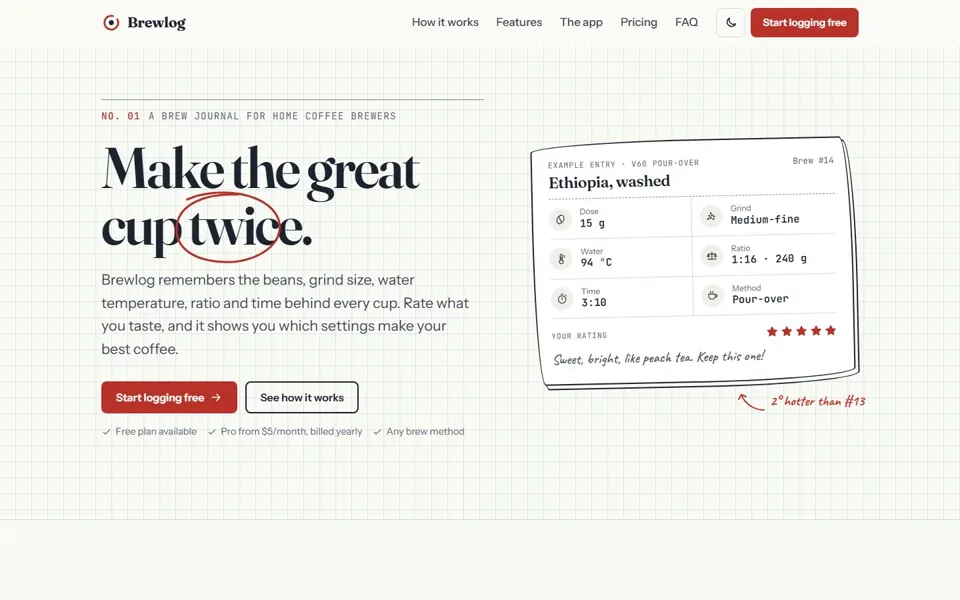
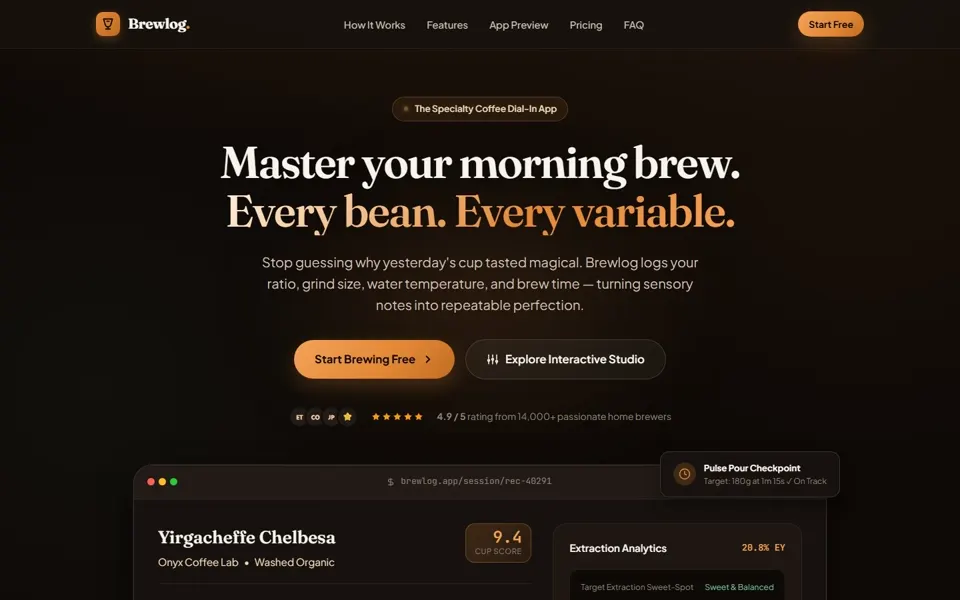
Both are polished. Without DENT: a well-made but familiar SaaS page (warm gradient, “New” pill, floating phone mockup). With DENT: a brew-journal concept on grid paper that passes every automated gate.

Automated gates: without DENT failed text contrast (G3); with DENT passed all 5.

Close to protocol No questions on either side; the prompt forbids them.
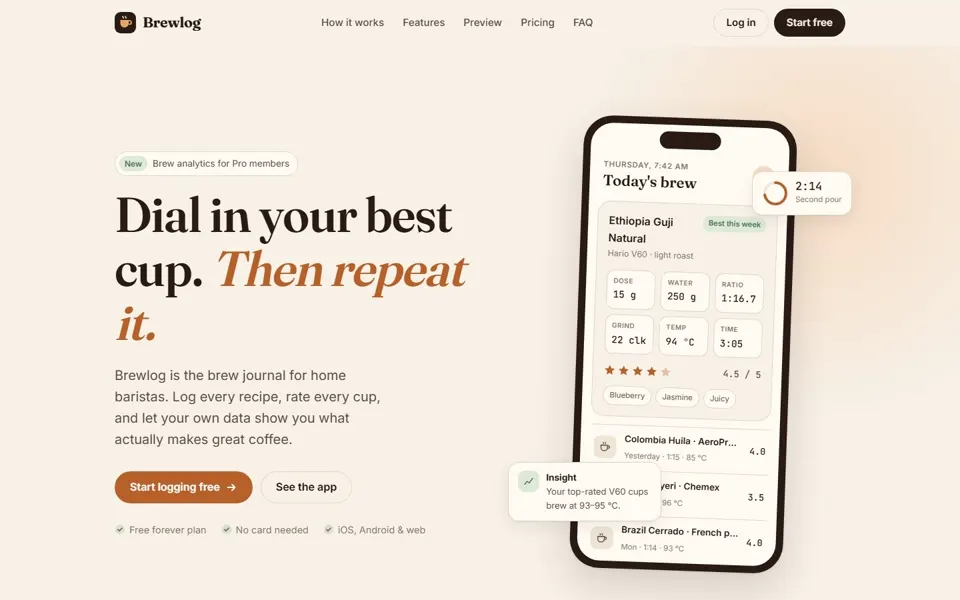
Without DENT: first screen of the Brewlog marketing website
Without DENT
With DENT: first screen of the Brewlog marketing website
With DENT

Test 02

SaaS analytics dashboard

Claude Code + Claude Opus 5.5 (medium effort)

Without DENT
39/50
With DENT
43/50
Difference
+4 (DENT higher by 4)

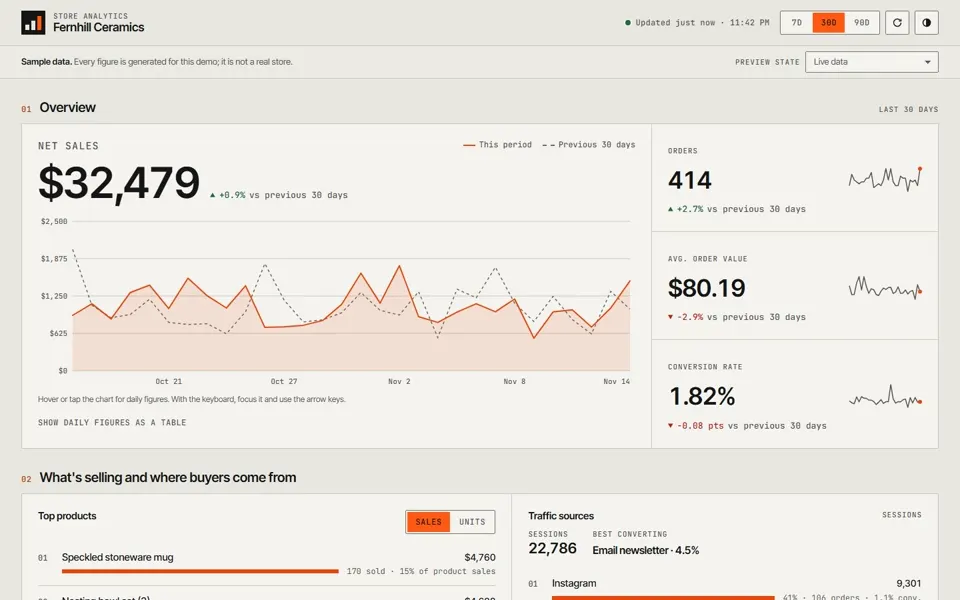
Without DENT: a clean, competent dashboard in a familiar style. With DENT: one hero metric that answers the owner’s first question, a dense ledger style with one signal colour, and a “sample data” notice.

Automated gates: without DENT failed text contrast (G3); with DENT passed all 5.

Close to protocol DENT skipped its questions (it treated the run as non-interactive); the effort level matched.

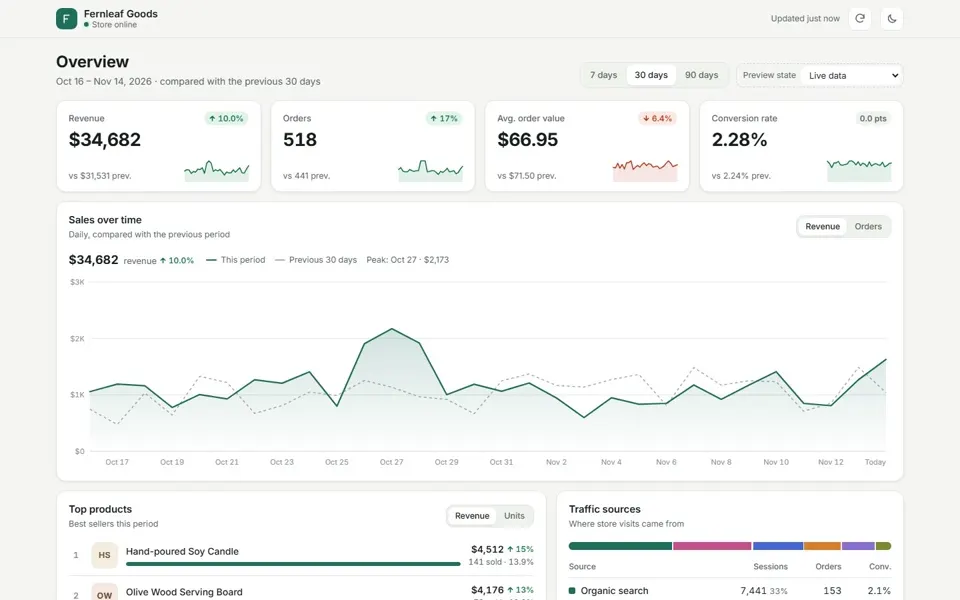
Without DENT: first screen of the SaaS analytics dashboard
Without DENT
With DENT: first screen of the SaaS analytics dashboard
With DENT

Test 03

Multi-step checkout with failure recovery

Claude Code + Claude Opus 5.5 (medium effort)

Without DENT
39/50
With DENT
44/50
Difference
+5 (DENT higher by 5)

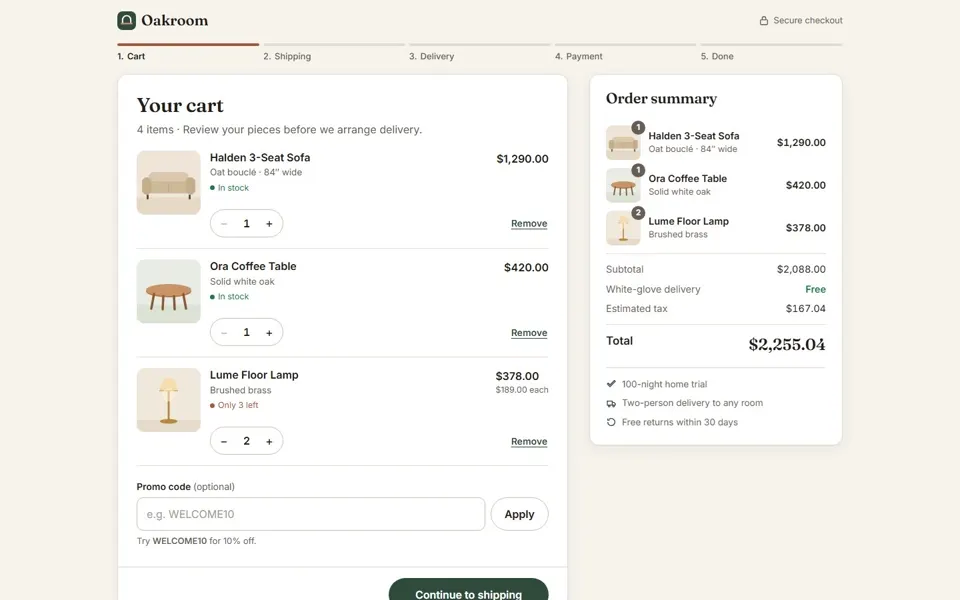
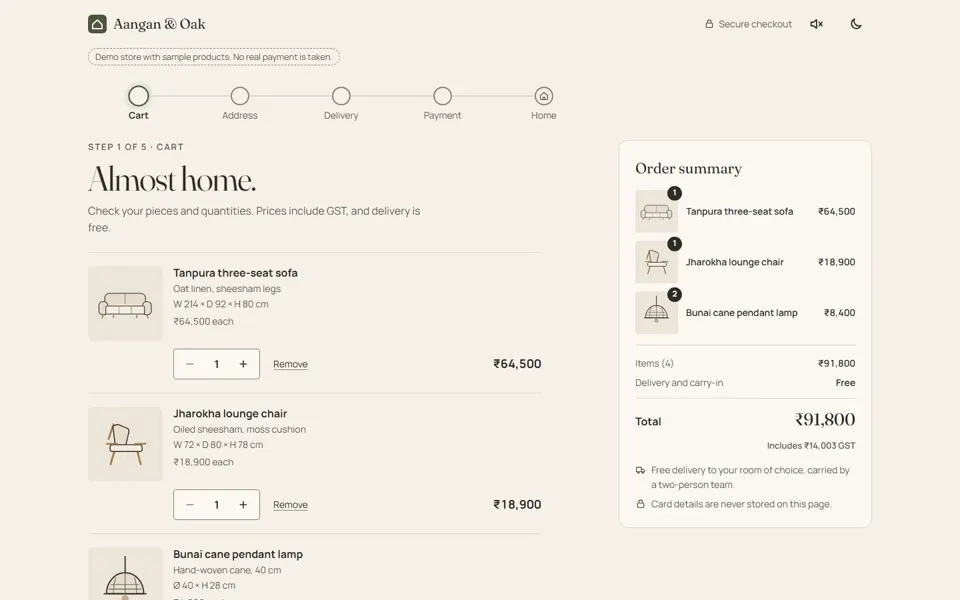
Both handle the flow well. With DENT: a “quiet showroom” direction with drawn product illustrations, a clear stepper, a demo-store notice, and a full plan, design spec and scorecard.

Automated gates: without DENT failed text contrast (G3); with DENT passed all 5.

Limited comparability The with-DENT run was set to All-out (not Standard), for the Indian market (₹, GST), with opt-in sounds.

Without DENT: first screen of the Multi-step checkout with failure recovery
Without DENT
With DENT: first screen of the Multi-step checkout with failure recovery
With DENT

Test 04

Kanban + command palette + drawer + chart

Claude Code + Claude Opus 5.5 (medium effort)

Without DENT
37/50
With DENT
43/50
Difference
+6 (DENT higher by 6)

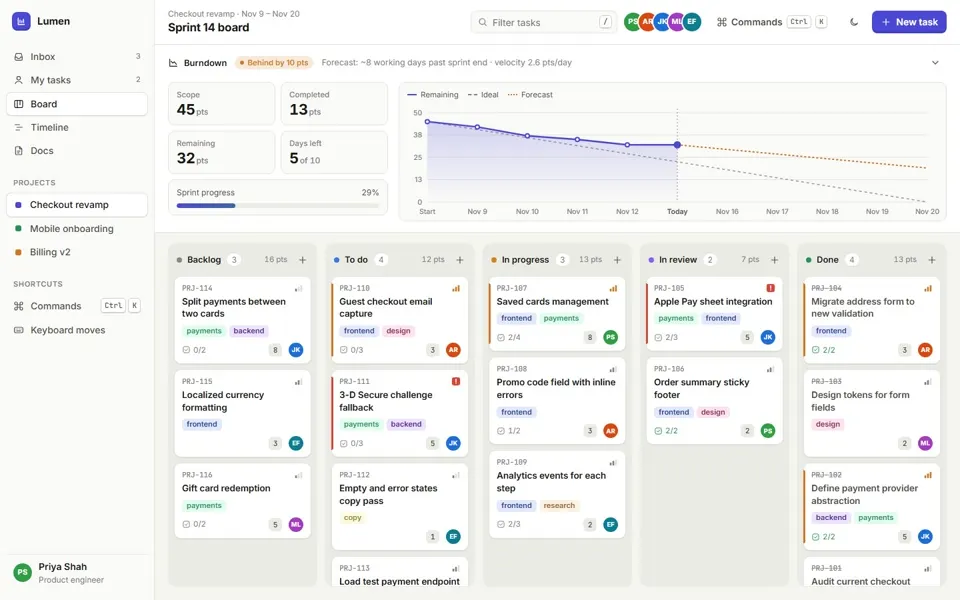
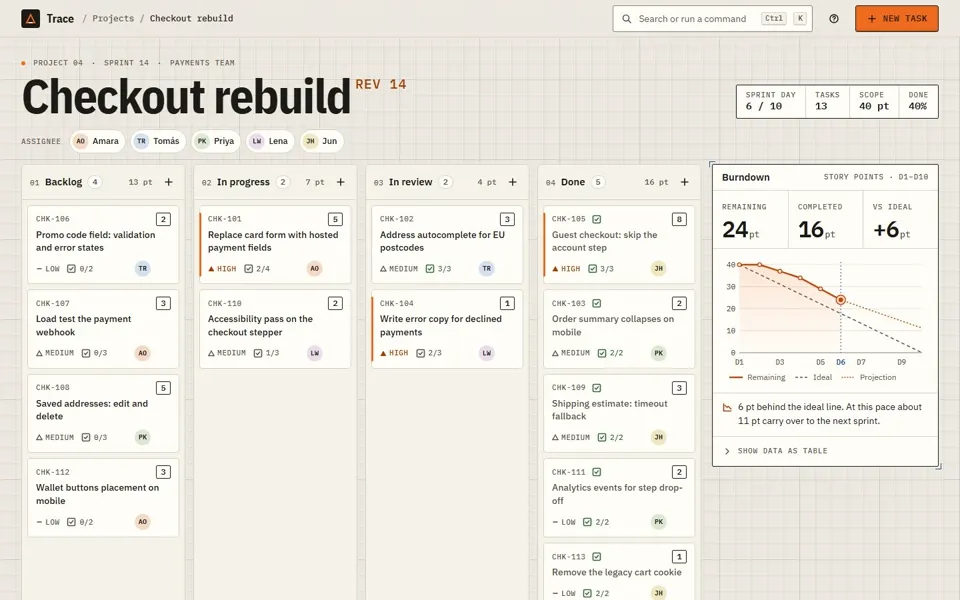
Without DENT: a capable Linear-style board. With DENT: a “drafting table” identity with a huge project title, numbered columns and a burndown with a table alternative. Its run found and fixed 4 bugs before delivery.

Automated gates: without DENT failed contrast (G3) and labels (G4); with DENT passed all 5.

Limited comparability With DENT ran at Standard, one level below the intended Polished. No scorecard; DESIGN.md was written only when asked.

Without DENT: first screen of the Kanban + command palette + drawer + chart
Without DENT
With DENT: first screen of the Kanban + command palette + drawer + chart
With DENT

Test 05

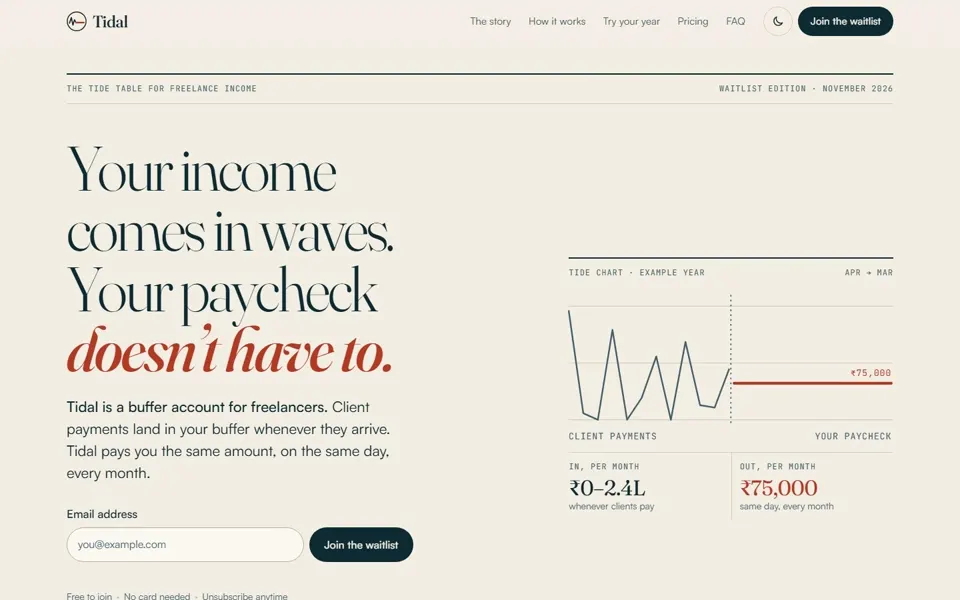
Launch page with a scroll story (All-out)

Claude Code + Claude Opus 5.5 (medium effort)

Without DENT
37/50
With DENT
45/50
Difference
+8 (DENT higher by 8)

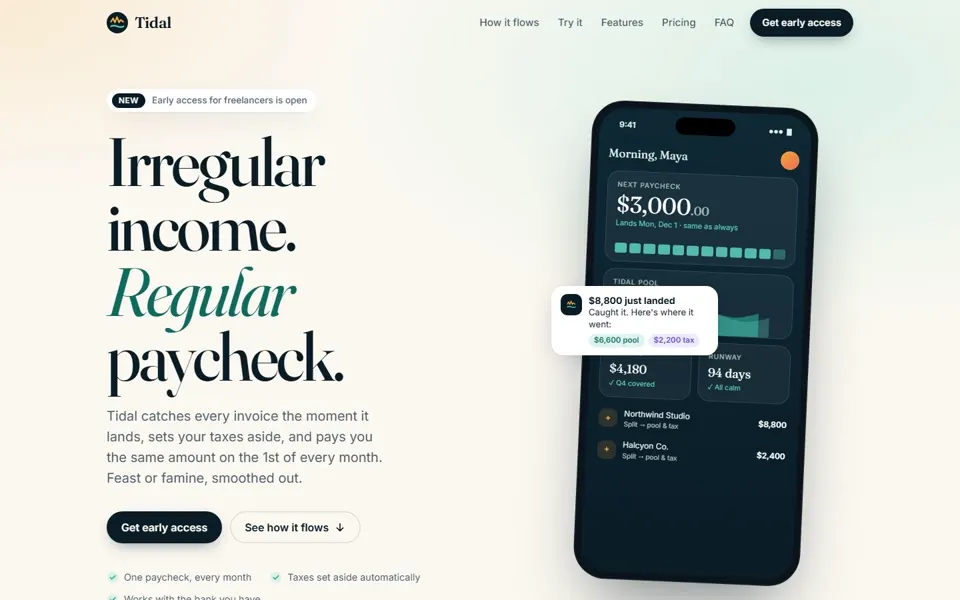
Without DENT: strong type, but the textbook launch template (NEW pill, phone mockup, gradient). With DENT: a “tide almanac” editorial concept, bracketed placeholder pricing, and a self-score of 8.7, below its own target of 9.

Automated gates: without DENT failed contrast (G3) and reduced motion (G10); with DENT passed all 5.

Limited comparability Both runs were asked for All-out. The with-DENT run added an optional ocean sound (off by default), ₹ pricing placeholders, and Satoshi body text (user feedback).

Without DENT: first screen of the Launch page with a scroll story (All-out)
Without DENT
With DENT: first screen of the Launch page with a scroll story (All-out)
With DENT

Test 06

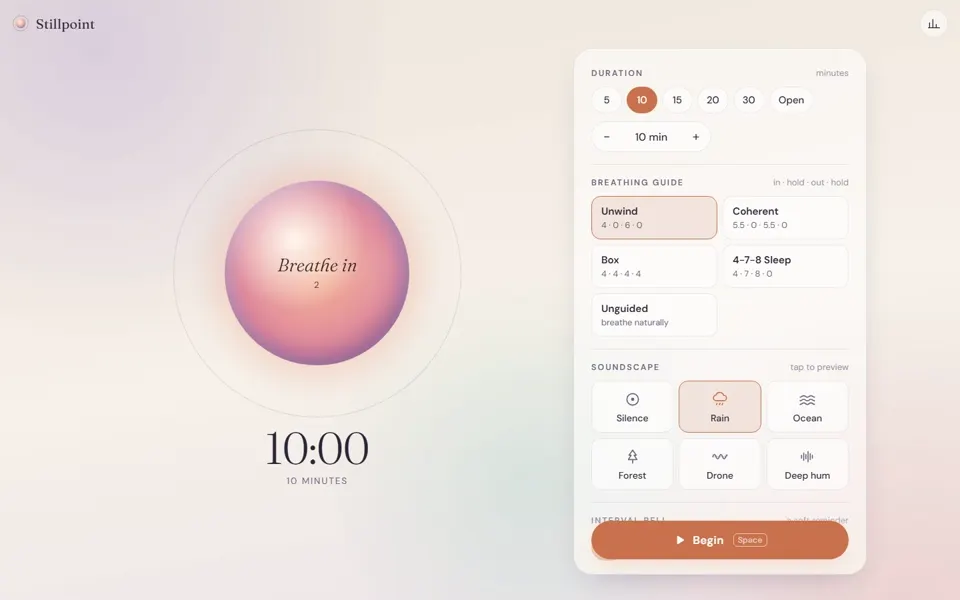
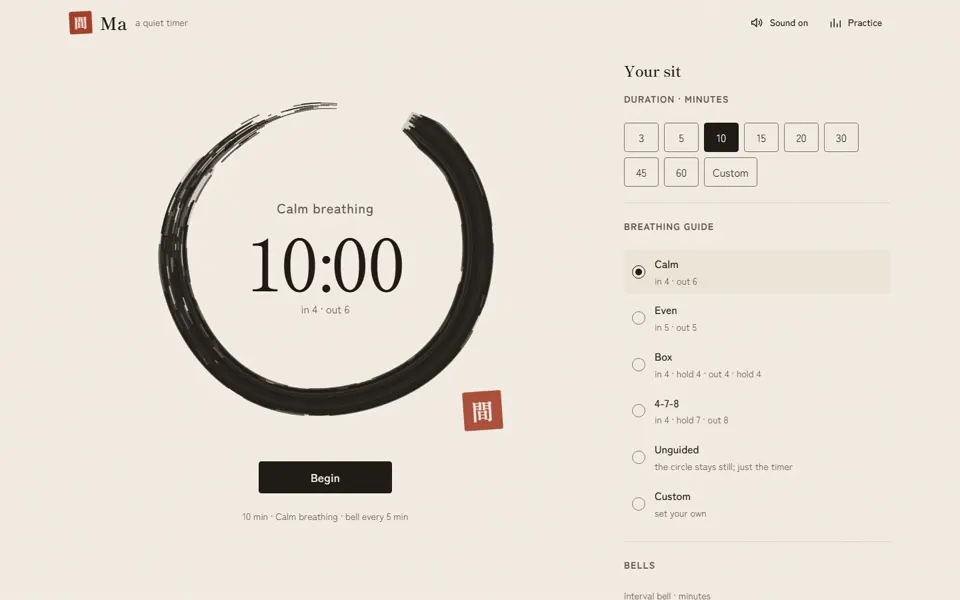
Meditation timer with sound

Claude Code + Claude Opus 5.5 (medium effort)

Without DENT
39/50
With DENT
44/50
Difference
+5 (DENT higher by 5)

Without DENT: a beautiful gradient-orb timer. With DENT: an ensō ink circle, a calmer and more distinctive identity, and sound that stays off until the user turns it on.

Automated gates: without DENT failed contrast (G3) and reduced motion (G10); with DENT passed all 5.

Limited comparability The with-DENT run was set to All-out (not Polished), with extra features (custom patterns, session log, vibration, keep-awake).

Without DENT: first screen of the Meditation timer with sound
Without DENT
With DENT: first screen of the Meditation timer with sound
With DENT

Test 07

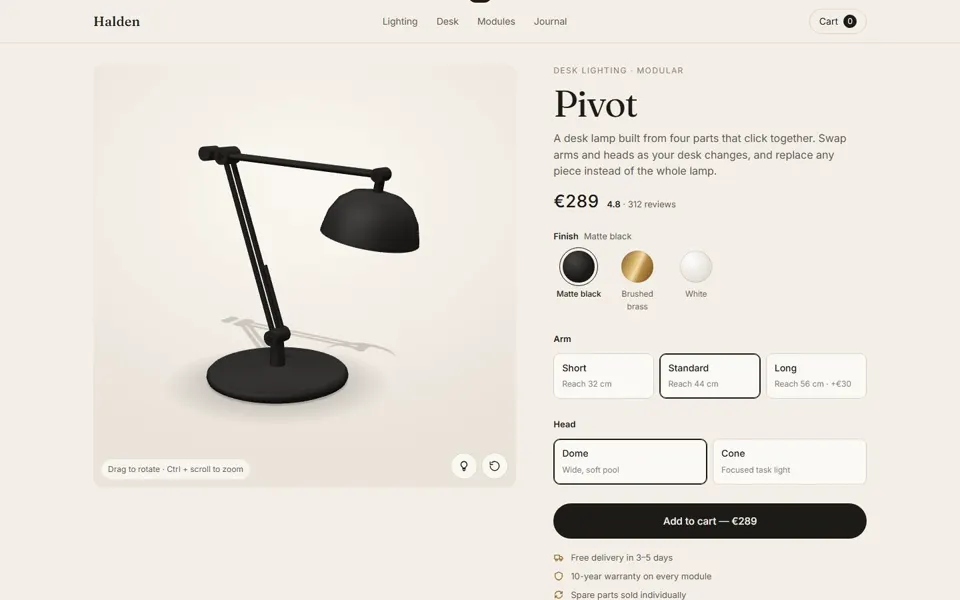
3D product viewer

Claude Code + Claude Opus 5.5 (medium effort)

Without DENT
36/50
With DENT
44/50
Difference
+8 (DENT higher by 8)

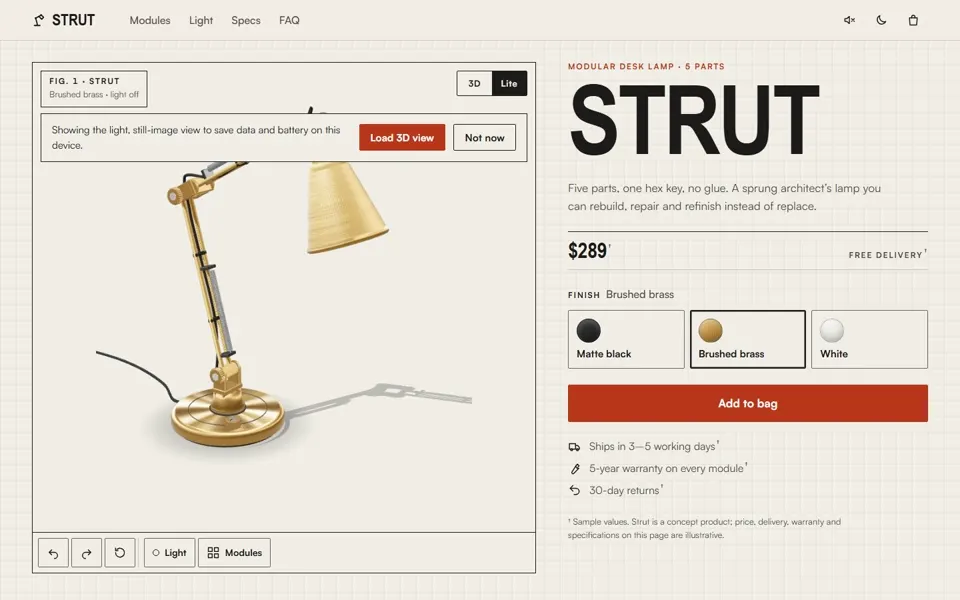
Without DENT: a tidy product page, but it invents social proof (“4.8 · 312 reviews”) and keeps animating under reduced motion. With DENT: an “assembly drawing” identity, a data-saving still-image mode, and prices labelled as sample values.

Automated gates: without DENT failed contrast (G3) and reduced motion (G10); with DENT passed all 5.

Limited comparability The with-DENT run was set to All-out with user design feedback, sample pricing and an opt-in click sound.

Without DENT: first screen of the 3D product viewer
Without DENT
With DENT: first screen of the 3D product viewer
With DENT

Test 08

45-second launch video

Claude Code + Claude Opus 5.5 (medium effort)

Without DENT
38/50
With DENT
43/50
Difference
+5 (DENT higher by 5)

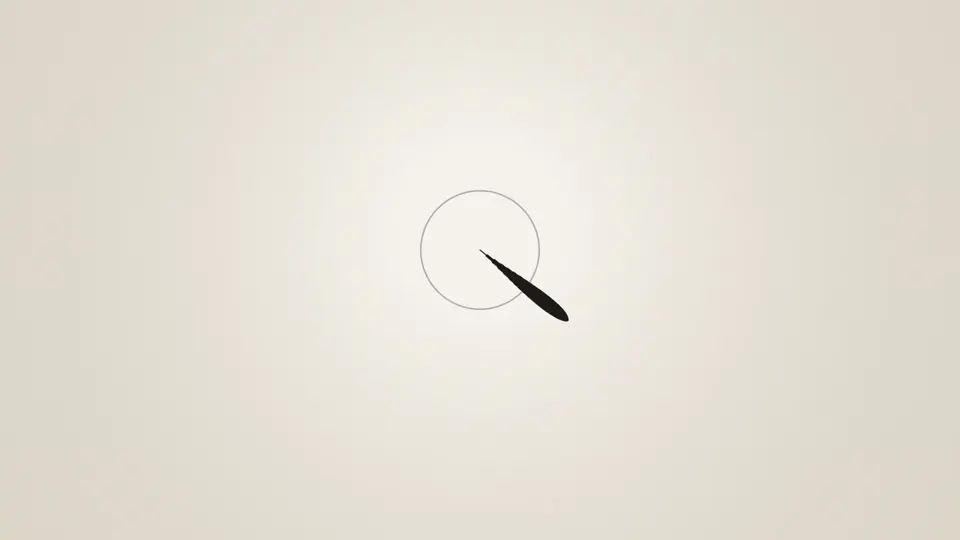
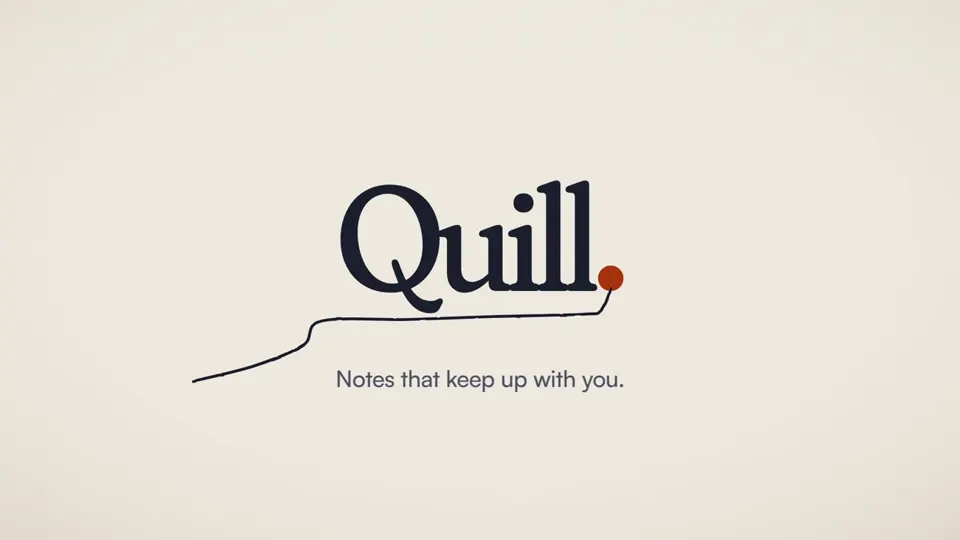
Both are clean, code-rendered 45-second films with synthesised music. Without DENT: a solid product tour, but the UI text is small on phones and loudness sits at −15.4 LUFS. With DENT: stronger kinetic type, designed burned-in captions, narration, and exactly −14 LUFS.

Video: checked with video QA, not the web gates.

Limited comparability The with-DENT run used narration (the brief said music + captions only), 16:9 + 9:16 (the brief said 16:9 + 1:1), and All-out effort with user feedback.

Without DENT: poster frame of the 45-second launch video
Without DENT
With DENT: poster frame of the 45-second launch video
With DENT

Test 09

Brewlog marketing website (earlier batch)

Antigravity + Gemini 3.8 Flash (High) · DENT 1.0.1

Without DENT
36/50
With DENT
35/50
Difference
−1 (DENT lower by 1)

About a tie: DENT did not clearly win this run. Both landed on the same dark espresso-and-orange look. DENT changed the process (brief, DESIGN.md, reduced motion, light/dark), but shipped a mobile layout bug and kept invented social proof.

Automated checks: with DENT scrolled sideways at 320, 375 and 390 px; without DENT only at 320 px.

Earlier batch, DENT 1.0.1 This run used DENT 1.0.1. Its failures are why DENT 2.0 added gates and verify_page.py.

Without DENT: first screen of the Brewlog marketing website (earlier batch)
Without DENT
With DENT: first screen of the Brewlog marketing website (earlier batch)
With DENT

07Install

Install in one line.

Or download the folder from GitHub and drop it into your agent's skills directory. Full guide: INSTALL.md (opens in a new tab).

Any agent

npx skills add jeelnadaa/DENT

Claude Code

/plugin marketplace add jeelnadaa/DENT
/plugin install dent@dent

08FAQ

Questions, answered.

Something missing? Ask on GitHub (opens in a new tab).

Is DENT free?

Yes. It's open source under the Apache 2.0 license, including for commercial work.

Which agents does it work with?

Any agent that supports Agent Skills (SKILL.md): Claude Code, Codex, Cursor, GitHub Copilot, Gemini CLI, OpenCode and more. For other agents you can point a rules file at it.

Will it slow my agent down?

DENT loads one main file and opens its detailed guides only when a task needs them.

Do I own what I design with it?

Yes. DENT claims no rights over your designs.

Can it work on my existing app?

Yes. It detects your existing design system and extends it, or audits your current UI and ranks what to fix.

Can I contribute?

Yes. New styles, patterns and fixes are welcome on GitHub (opens in a new tab).

Give your agent taste.

Install DENT in a minute and ask for your next screen.

Download on GitHub (opens in a new tab)